Bachelorette games

Bachelorette Game PowerPoint Templates

Updated November 2026

Putting a game on the TV changes how it feels. Everyone reads the same question at the same time, nobody passes a sheet around, and a homemade quiz starts to look like a game show. A slide deck is the cheapest way to get there.

Below are five free templates you can download today, how to get them onto the TV, when Canva or Kahoot is the better tool, and a few mistakes to avoid.

Before you build slides

  • One question per slide, in big type. If the person on the far end of the couch can’t read it, it’s too small.
  • Put the answer on the next slide. If the answer is in the speaker notes, it can end up on the TV by accident.
  • Give the clicker to someone who isn’t playing. Whoever runs the slides has seen every answer.

Templates

Five free templates

  • 1. Bachelorette Jeopardy. A clickable board with 30 questions already in, a Daily Double, Final Jeopardy and a scoreboard. Every square opens its question and every question has an answer slide. It works in PowerPoint, Keynote and Google Slides. Get the Jeopardy template.
  • 2. Who Knows the Bride. Forty questions on slides, plus a printable answer sheet for every guest. If you’d rather pick your own, the generator pulls a list from more than 200 questions, and you can download it as slides. Get the Who Knows the Bride template.
  • 3. Most Likely To. Pick how many lines you want and how far they can go, and the Most Likely To generator turns them into slides and a score sheet.
  • 4. What Did the Groom Say. The groom questions generator makes an interview sheet for him to fill in before the party and a set of slides with the questions for the night.
  • 5. He Said, She Said, for the shower. Put the couple’s names in, and the He Said, She Said generator makes slides, a sheet for every guest and one for the couple.

Compare

Which tool for which game

All of these work. The right one depends on how much you want to build and whether the scores keep themselves.

ToolBest forGuests answer onKeeps scoreWhat you write
PowerPoint or KeynoteA clickable Jeopardy boardPaper or out loudNoEvery question, or use a template
Google SlidesFree, and easy to share with a co-hostPaper or out loudNoEvery question, or use a template
CanvaThe best-looking slidesPaper or out loudNoEvery question and every slide
KahootA fast quiz with a leaderboardTheir phonesYesEvery question
Group ProjectA game show built from the group’s own answersTheir phonesYesNothing. Guests answer a few questions before the party

Save yourself the trouble

Where slide games go wrong

  • Too many questions. Twenty is plenty. After that, the room starts to drift.
  • Skipping the tech check. Plug in, find the right input and click through the whole deck before anyone arrives. Every rental TV has its own ideas.
  • The host who also wants to play. Whoever built the deck knows the answers. Let them read, rule on close calls and enjoy the power.
  • Fixing the deck at the rental. Finish it before you leave home. Anything you fix on the night, you fix in front of everyone.

Skip the slides

A game show that builds itself

Group Project is a bachelorette game show that runs on the TV without a slide deck. Before the party, each guest answers a few questions on their phone, and the game turns those answers into five games. On the night, the TV runs the show, everyone plays on their phones, and the scores keep themselves. The host plays too.

It takes the host about ten minutes to set up from a phone. You need a TV, a phone for each person, and nothing to print.
Start your game night · Free to set up

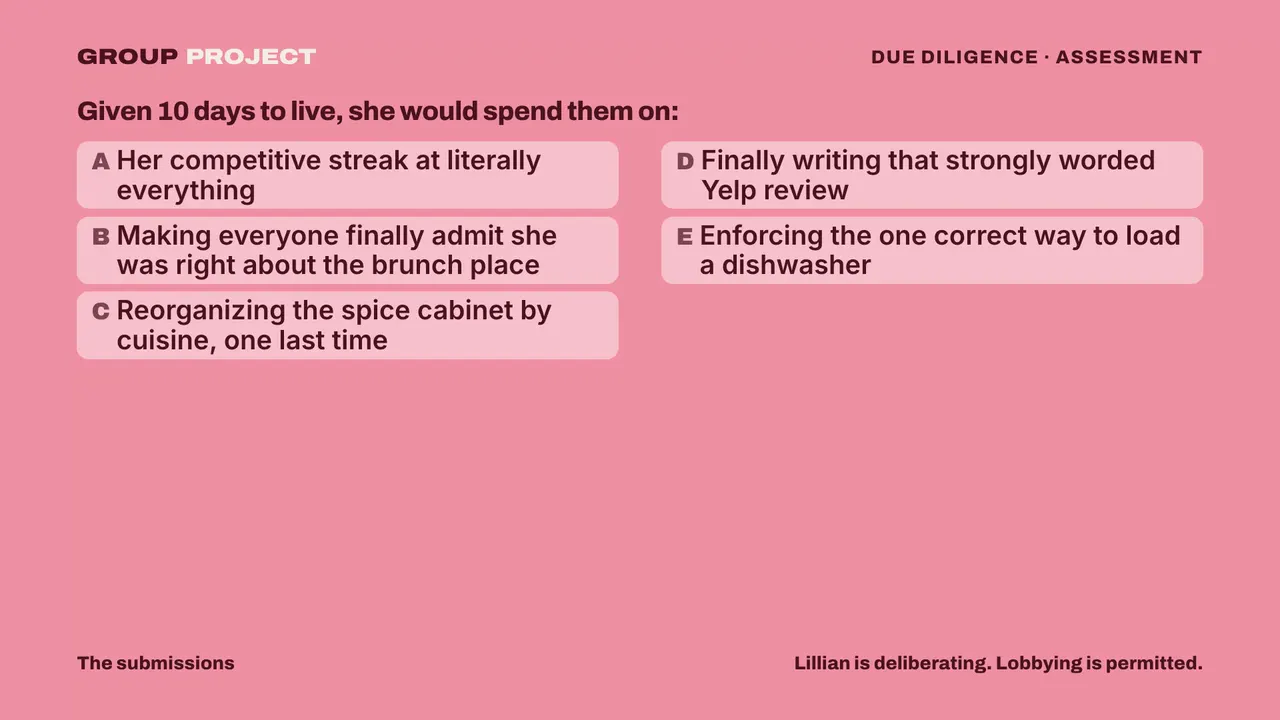
Due Diligence on the TV: cards made from the group’s answers before the party.

Due Diligence on the TV. Every card was written from the group’s answers before the party.

Questions people ask

Is there a free bachelorette Jeopardy PowerPoint template?

Yes. Ours is a clickable board with 30 questions, a Daily Double, Final Jeopardy and a scoreboard. It opens in PowerPoint, Keynote and Google Slides, and you can swap in your own questions.

How do you put a bachelorette game on the TV?

Plug a laptop into the TV with an HDMI cable, or cast Google Slides from Chrome to a TV that supports casting. Test it the day before, at the rental if you can.

Can I use these templates in Canva?

Canva can import a PowerPoint file. Check the Jeopardy board after importing, since it depends on links between slides, and links are the part most likely to break in an import.

Can you make a bachelorette Kahoot?

Yes. You write the questions in Kahoot, guests join on their phones with a game PIN, and it keeps a leaderboard. Check its plan limits against the size of your group before the party.

What’s the easiest bachelorette game to put on a TV?

A Who Knows the Bride deck. The bride answers ahead of time, each slide is one question, and the next slide is her answer. If you’d rather nobody builds anything, Group Project runs on the TV from the guests’ own answers. It’s $35 for the whole group, and you can get your game night here.